




 Go Pro


AI PDF to Notes
What Is PDF to Notes

PDF to Notes AI is an AI-powered tool that converts long PDF documents into clear, organized notes. Instead of reading every page, you get the key ideas, important concepts, and takeaways in a format that's easier to review and remember.
Unlike a traditional PDF summarizer that simply shortens text, PDF to Notes restructures information into organized notes with clear headings, bullet points, and logical sections. It's built for studying, reviewing, and quick reference.
EaseDone AI's PDF to Notes helps students, researchers, professionals, and educators turn textbooks, research papers, reports, and other PDFs into structured notes generated by AI in minutes. Simply upload your PDF and let AI organize the content into clear, study-ready notes.
Key Features of PDF to Notes
📄 Convert PDFs into Organized Notes
Upload any PDF and EaseDone AI helps you convert PDF to notes with clear headings, bullet points, and key information.
📝 Extract Key Points Automatically
EaseDone AI identifies key concepts, important definitions, supporting details, and conclusions, then organizes them into structured notes. As a PDF note generator powered by AI, it creates clear, organized notes for both academic and professional documents.
🎓 Built for Studying and Research
Create organized PDF study notes that make it easier to review for exams, understand complex topics, and retain important information. Spend less time taking notes and more time learning.
📚 Works Across Different PDF Types
Convert different types of PDFs into notes, including textbooks, research papers, business reports, manuals, ebooks, lecture slides, meeting notes, and other text-based PDF documents.
💬 Continue Learning with AI Chat
After generating your notes, ask follow-up questions, explore specific topics, or clarify difficult concepts with EaseDone AI Chat - without searching through the original PDF.
How to Use EaseDone PDF to Notes
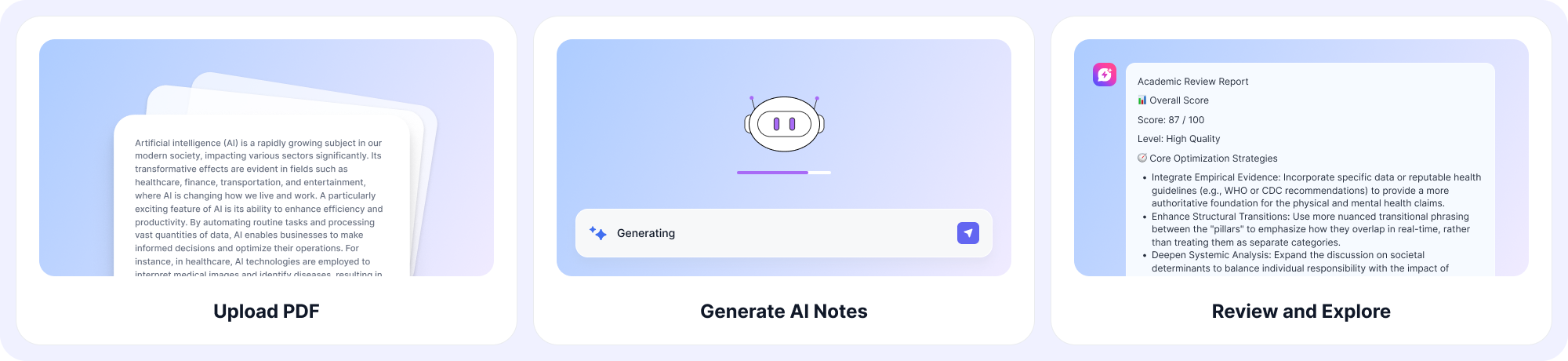
Step 1: Upload Your PDF
Upload a PDF file, such as a textbook, research paper, report, or manual.
Step 2: Generate AI Notes
EaseDone AI analyzes the document and creates structured notes with key ideas, important details, and takeaways.
Step 3: Review and Explore
Review your notes, ask follow-up questions, and refine the results for study, research, or work.
Why Choose EaseDone PDF to Notes
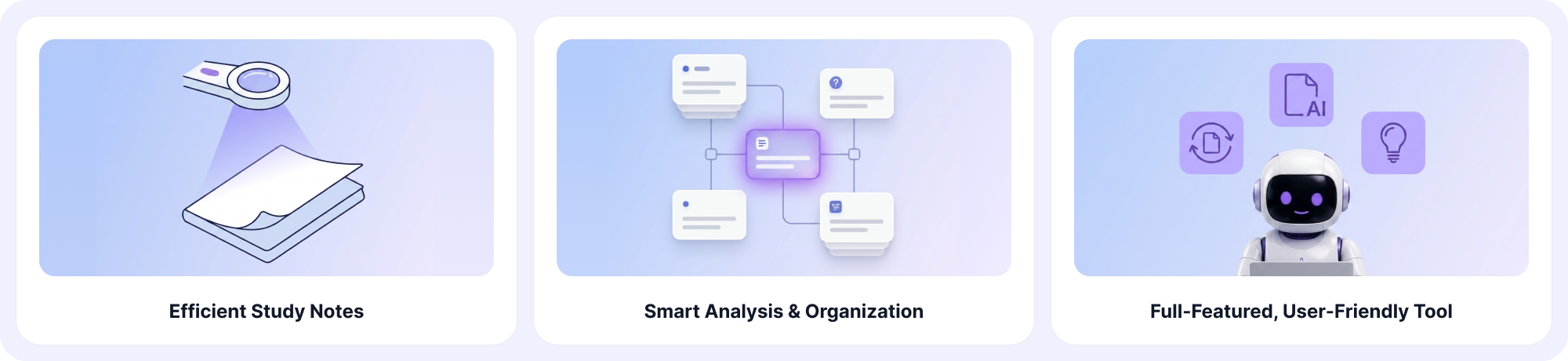
1. Save Time on Reading and Note-Taking
Convert lengthy PDFs into organized notes in minutes and spend less time reading or taking notes manually.
2. More Than a PDF Summarizer
Instead of simply shortening content, EaseDone AI organizes information into structured notes that are easier to review, study, and reference.
3. Designed for Learning and Research
Quickly review textbooks, research papers, lecture materials, and technical documents without manually highlighting or rewriting content.
4. Understand Complex Documents Faster
EaseDone AI simplifies technical and academic content while preserving key ideas, making it a smarter AI note-taking solution.
5. Part of a Complete AI Toolkit
EaseDone AI is more than a PDF to Notes tool. After organizing your information, you can turn ideas into visual formats, improve your writing, and create new content with other AI-powered tools, all within one platform.
6. Fast, Browser-Based, and Easy to Use
No installation required. Upload your PDF, generate organized notes, and start reviewing instantly.
FAQ
What is a PDF to Notes AI tool?
PDF to Notes AI is an AI-powered tool that converts PDF documents into organized notes by extracting key ideas, important concepts, and takeaways for faster review and learning.
How is PDF to Notes different from a PDF summarizer?
A PDF summarizer creates a shorter version of a document. PDF to Notes goes further by organizing information into structured notes with headings and key points, making it easier to study and review.
Can I convert large PDF files into notes?
Yes. EaseDone AI can process long PDF documents and generate organized notes that highlight the most important information.
What types of PDF files can I upload?
You can upload textbooks, research papers, lecture slides, business reports, manuals, ebooks, and other text-based PDF documents.
Can I upload academic papers and textbooks?
Yes. EaseDone AI supports textbooks, academic papers, journal articles, reports, and many other educational and professional documents.
Who should use PDF to Notes?
PDF to Notes is ideal for students, researchers, educators, professionals, and anyone who wants to review documents more efficiently. It also works as an AI study assistant for exam preparation and research.
Can I use PDF to Notes for studying?
Yes. PDF to Notes helps students review textbooks, lecture slides, and research papers more efficiently by turning long documents into organized study notes.
Can I edit or continue working with my notes?
Yes. After generating your notes, you can review, edit, and organize the content to better fit your study or work needs. You can also use tools like the AI Grammar Checker to polish your writing or improve the clarity of your notes.
Can I ask AI questions after generating notes?
Yes. You can continue exploring your document with AI Chat after creating your notes. Ask questions, clarify concepts, and get deeper explanations about specific sections or topics.
Is EaseDone PDF to Notes free?
Yes. EaseDone AI PDF to Notes offers three free uses per day with no sign-up required. For even more access, sign up for a 3-day free trial and explore additional AI-powered tools and higher usage limits.
Does EaseDone offer other AI tools?
Yes. EaseDone AI includes a variety of AI-powered tools beyond PDF to Notes. Turn your notes into visual diagrams with the AI Mind Map Generator, create learning materials with the AI Study Guide Maker, generate practice questions with the AI Quiz Generator, or write academic content with the AI Academic Writer.