




 Go Pro


AI Mind Map Generator
Copy and paste the text or upload the document directly, and our AI mind map generator will turn it into a clear mind map instantly. Now, you can try it without signing up for free.
What Is an AI Mind Map Generator?

A mind map is a visual diagram that starts with one central idea and branches out into related topics and subtopics. It helps you see how ideas connect.
An AI mind map generator is an online tool that uses artificial intelligence to turn your ideas, text, documents, or web content into structured visual mind maps automatically. Instead of building a map by hand, you simply type a topic or paste content, and the AI does the rest. An AI mind map generator takes this a step further by reading and organizing information for you in seconds. EaseDone's free AI mind map generator lets you create mind maps from text, URLs, PDFs, and more.
What Can It Help You With?
An AI mind map maker is useful for almost any task that involves thinking, learning, or planning. Here are the most common ways people use it:
- 📚 Students use it to summarize lecture notes, textbooks, and research papers. It makes studying faster and easier.
- 🧠 Writers and creators use it to brainstorm ideas, plan articles, and outline projects before writing.
- 💼 Professionals use it for project planning, meeting prep, and breaking down complex workflows.
- 🎓 Teachers use it to build lesson plans and create visual learning materials for students.
- 🔍 Researchers use it to organize findings and spot connections between ideas quickly.
Whether you need to understand a dense topic or plan your next big project, an AI mind map generator from text saves you time and keeps your thinking clear.
Key Features of the EaseDone AI Mind Map Generator
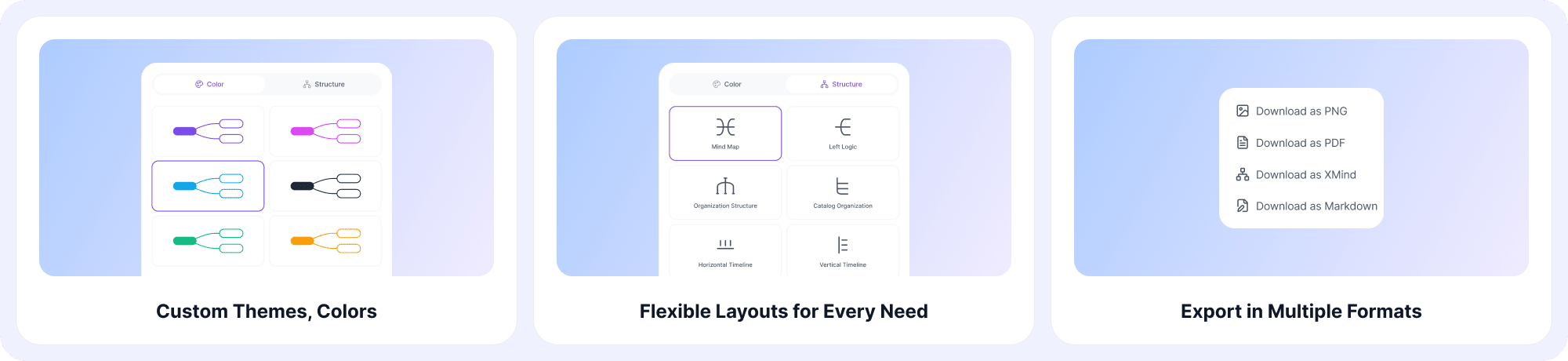
1. Flexible Layouts for Every Need
EaseDone offers multiple mind map styles and layout directions so you can build the right map for any purpose. Whether you're brainstorming, planning, studying, or presenting, there's a layout that fits.
- Brainstorming: explore ideas freely from a central topic.
- Project planning: break goals into tasks and subtasks.
- Note organization: turn messy notes into clean structures.
- Study aids: condense long content into visual summaries.
- Presentations: share ideas clearly with any audience.
- Meeting management: plan agendas and capture action items.
2. Custom Themes, Colors, and Structures
Make your mind map look exactly the way you want. Choose from multiple color themes, change fonts, adjust branch styles, and restructure nodes with simple drag-and-drop. Whether you prefer a clean minimal look or a bold visual style, the customization options let you build maps that feel like yours.
3. Export in Multiple Formats
When your map is ready, export it in the format that works best for you. EaseDone supports:
- PNG - share as an image anywhere.
- PDF - print or attach to documents.
- XMIND - open in other mind map tools.
- Markdown - use in notes, docs, or code.
4. One-Click Generation for Any Content
This is where the AI mind map generator really shines. Paste any text, drop in a URL, upload a PDF, or just type a topic - and the AI builds a complete, structured mind map in one click. It works for any kind of content: articles, reports, meeting notes, YouTube links, and more.
How to Use the EaseDone AI Mind Map Generator
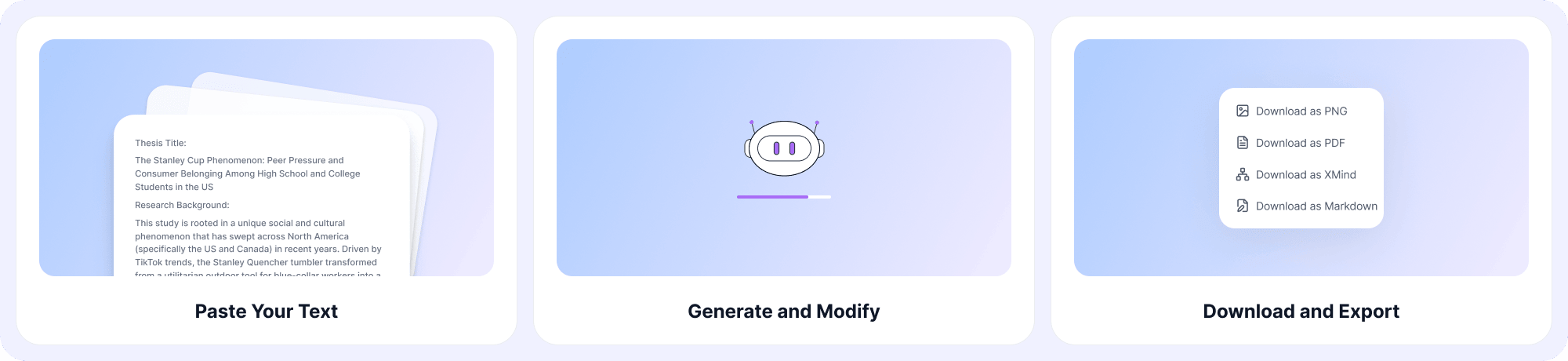
Using EaseDone is simple. Here's how to get started:
Step 1: Choose your input type
You can type a topic, paste text, or upload a file (PDF, DOCX, etc.).
Step 2: Generate and Modify
Click AI Mind Map Generator. The AI reads your content and builds a structured mind map in seconds. Then, you can change colors, rearrange branches, and rename topics to fit your needs.
Step 3: Download and Export
Download your map as PNG, PDF, XMIND, or Markdown.
FAQ
What is an AI mind map generator?
An AI mind map generator is a tool that uses artificial intelligence to automatically turn text, topics, or files into visual mind maps. You provide the input, and the AI creates the structure and connections for you.
Is EaseDone's AI mind map generator free?
Yes. EaseDone offers a free AI mind map generator that you can use directly in your browser without signing up.
Can I create a mind map from text?
Yes. The AI mind map generator from text feature lets you paste any content such as notes, articles, summaries and instantly turn it into a mind map.
What file types can I upload?
You can upload PDFs, DOCX files, and more. The AI reads the content and generates a mind map from it automatically.
Can I use it to turn a URL into a mind map?
Yes. Just paste a webpage URL, and the AI will fetch and map the key points from that page.
What export formats are supported?
EaseDone supports export to PNG, PDF, XMIND, and Markdown. You can also share maps with a direct link.
Do I need to sign up to use it?
No sign-up is required to try the free version. You can start generating mind maps right away.
Can I customize the look of my mind map?
Yes. You can change colors, themes, fonts, layouts, and branch structures. Full customization is available inside the editor.
How is an AI mind map maker different from a regular mind map tool?
A regular tool makes you build the map manually. An AI mind map maker reads your content and builds the structure for you - saving significant time and effort.
What can I use a mind map for?
Mind maps are useful for studying, brainstorming, project planning, note-taking, meeting prep, presentations, and research. The AI handles the structure so you can focus on the ideas.