




 Go Pro


AI Note Taker
EaseDone AI - All-in-One AI Assistant for Everyone
Powered by advanced AI models such as Gemini, GPT, Claude, Qwen, etc., EaseDone AI makes your daily work easier without switching applications. Chat with AI to generate images, write essays, solve math problems, analyze files & images, create visuals, and so on.



Trusted by millions of users worldwide




AI Note Taker - Turn Any Content into Notes with AI Online Free
EaseDone AI note generator is a free tool that helps you organize notes from meeting recordings, videos, PDFs, courses, and online content in seconds. Whether you need a free AI note-taking assistant to work or study, it quickly and automatically converts audio, text, and video into clear, searchable notes.
Video to AI Notes
Paste your YouTube video link straight into EaseDone AI, or drop in a full playlist - the tool accepts up to 4 YouTube videos at once. It's built for anyone who needs fast video to AI notes for studying or work, pulling out the key points so you don't have to rewatch the whole thing.

Summarize Your Meeting Notes
Summarizing a one- or two-hour meeting by hand is slow, and it's easy to miss something important. Just upload your meeting recording, and our AI note taker quickly organizes it into a clear, visual summary - decisions, action items, and key points laid out so you can scan them in seconds instead of scrubbing through audio.

Works With Almost Any Material
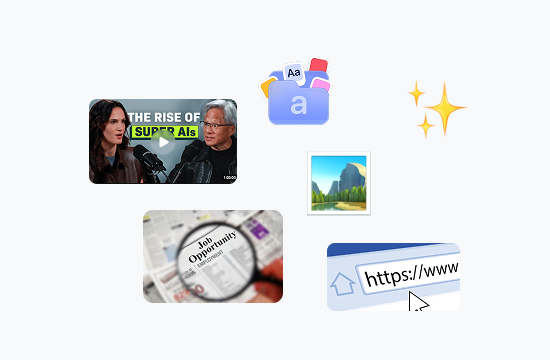
This free AI note-taking tool handles meetings, videos, PDFs, images, articles, and web links, so you're never stuck manually retyping content. Your files stay private throughout the process, making it a dependable choice among the best AI tools for note-making whether you're a student, a researcher, or part of a remote team.
Customize and Keep Everything Organized
Rename each note so it's easy to find again later, and keep chatting with the AI to revise, expand, or reorganize what it generated. Need something extra - a shorter summary, a different format, a follow-up question answered? Just ask in the same conversation, and your notes update on the spot.

Why Choose EaseDone AI Note Taker
Built to be the free AI note taker you can actually rely on.

Fast Speed
Get organized AI notes in seconds, not hours.

Free, No Sign-up
No sign-up, no login - use our AI note taker for free right away.

Smart AI
Understands and organizes video, audio, PDF, image, and web content alike.

Secure
Your files and notes stay private. Nothing is shared without your permission.
How to Use EaseDone AI Note Taker
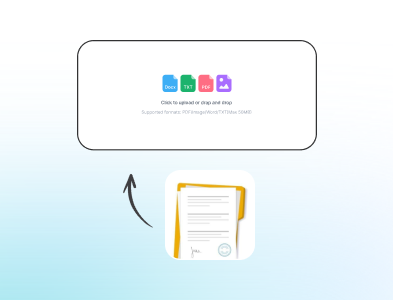
Step 1: Upload Your Source
Add an audio, video, or PDF file from your device, or paste a YouTube link or webpage URL to start taking notes online.
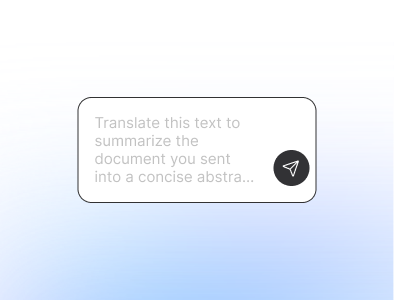
Step 2: Chat with Our AI
Talk with the AI to shape your notes: ask for a shorter summary, more detail on a section, or a specific format.
Step 3: Generate Your Notes
Create AI notes, summaries, and transcripts, then save them instantly. You can also convert your notes into a mind map from here.
Stop Taking Notes the Slow Way
Paste a link, upload a file, or drop in a recording - EaseDone AI note taker handles the rest. Turn meetings, lectures, and videos into clear AI notes in seconds, completely free, no sign-up required.
Why Users Love EaseDone AI
What Our Users Are Saying
 Priya
PriyaI record every interview and used to spend hours typing them up. Now I upload the audio and have clean AI notes in under two minutes - it's given me back close to 5 hours a week.
 Mateus
I use it to turn lecture recordings into notes for 3 different courses. What used to take me a full afternoon now takes about 10 minutes per lecture.
 Anke
AnkeOur team runs 8-10 meetings a week. I paste the recording in, and the action items come out organized automatically. No more digging through my own scribbled notes.
 Rohan
RohanI turned an entire semester of lecture PDFs into searchable notes over a weekend. It's the fastest way I've found to review before exams.
 Chidinma
I paste in competitor YouTube videos and get the key points back in a minute instead of watching an hour of footage. It's cut my research time by more than half.
 Elin
ElinWe record every donor webinar. This tool turns each one into a one-page summary our whole team can actually read before the next call.
FAQ
What AI is best for note taking?

What languages do you support?
Can I use AI Note Taker for free without signing up?
How accurate are the notes generated by AI Note Taker?
Can I export notes from AI Note Taker?
What file types can I upload to AI Note Taker?
Can AI Note Taker summarize a YouTube video?
Is my uploaded data safe and private?
Can I turn notes into a mind map?
Does AI Note Taker work for meetings, lectures, and articles?