




 Go Pro


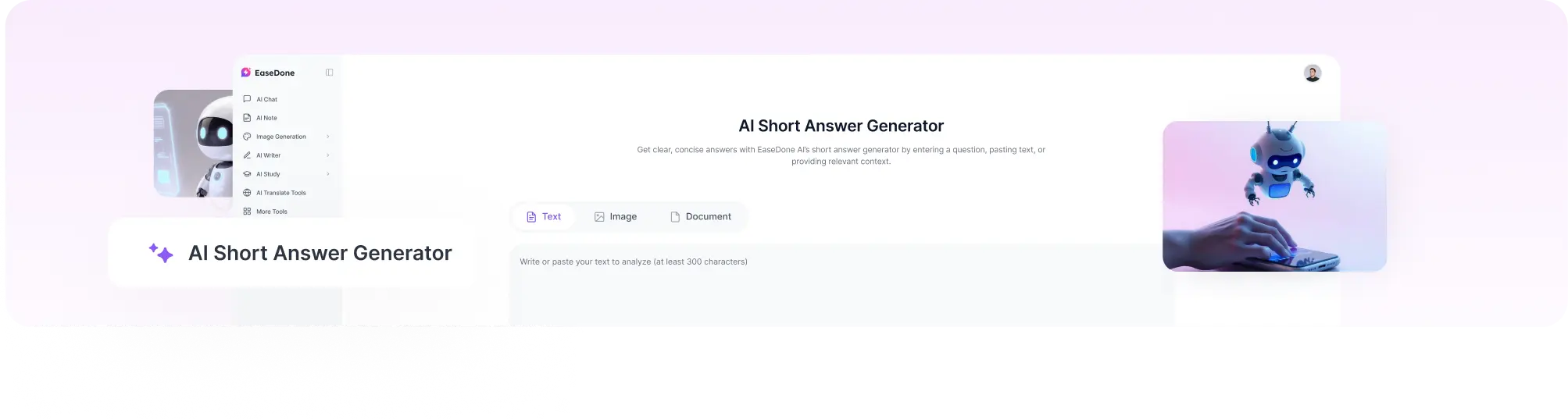
AI Short Answer Generator
Get clear, concise answers with EaseDone AI’s short answer generator by entering a question, pasting text, or providing relevant context.
Get the Key Answer Without the Extra Explanation
The information you need may already be in your notes, a textbook, document, or webpage. The challenge is finding the relevant part and turning it into a clear, concise answer. You may understand the material but still struggle to identify what matters most.
A short answer generator helps you find the key information and turn it into a focused response. Enter your question and provide the relevant text or context, and EaseDone AI generates an answer based on that information. Use it for study questions, reading comprehension, research, work documents, or other text-based questions.
Students can use it for worksheets, textbook exercises, and questions based on class notes. Researchers can find specific information in papers and reports, while professionals can work with documents and other work-related content. For simple questions, enter the question directly to get a concise answer without unnecessary detail.
What Can You Do With the Short Answer Generator
1. Generate a Short Answer From a Question
When you have a direct question, you can use the short answer generator to create a concise response focused on what you are asking. Instead of searching through multiple pages or reading a detailed explanation, you can enter the question and get a direct answer that covers the main point.
This AI answer generator can be used for factual questions, general knowledge, study questions, interview preparation, research questions, and other question-and-answer tasks. The length and level of detail can also depend on what you ask for, so a simple question does not need to result in a long explanation. If you're turning study materials into a broader review resource, try the AI Study Guide Maker.
2. Generate a Short Answer From Text
If the answer is already contained in an article, textbook, report, or set of notes, you can use a short answer generator to find the relevant information and turn it into a concise response. Paste the source text together with your question, and EaseDone AI can use the provided context when generating the answer.
This type of question answer generator is useful for reading comprehension, class notes, study materials, research documents, and questions that need to be answered from a specific source. It can help keep the response focused on the information in the text rather than adding unrelated details.
3. Answer Questions From Images
Some questions are available only as images, such as screenshots, worksheets, textbook pages, or photographs of study materials. If image input is supported, you can use an answer generator to work with the question without manually typing the entire page.
EaseDone AI can analyze the visible question and relevant content in the image and generate a short answer based on what is provided. This can be useful for worksheet questions, textbook exercises, reading comprehension, and other visual study materials.
For the best results, upload a clear image with the complete question and any supporting text visible. Blurry, cropped, or difficult-to-read images may make it harder for an AI question answering tool to identify the information correctly.
4. Turn Long Information Into a Short Answer
Sometimes the challenge is not finding information but deciding what to leave out. You may have several paragraphs of notes or research material but only need a one-sentence answer or a short response. In this case, EaseDone AI can help turn longer information into a concise answer while keeping the key points.
This is more than simply shortening text. A useful AI answer generator should preserve the information needed to answer the question and remove details that do not directly support the response. You can use this for short-answer questions, study notes, simplified explanations, and responses that need to stay within a specific length.
How to Make the Answer Shorter
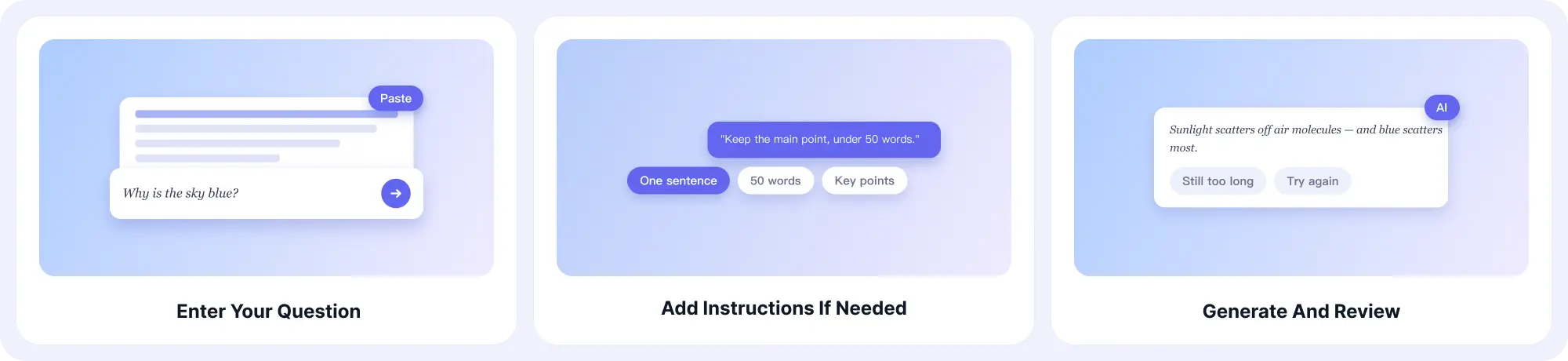
Step 1. Enter your question
Paste the answer or longer response you want to shorten. You can also include the original question or relevant context if it helps keep the main point clear.
Step 2. Add instructions if needed
Tell the AI how short you want the answer to be. You can ask for a one-sentence answer, a few sentences, or a specific word count.
Step 3. Generate and review
Generate the shorter answer and check that it still includes the key information. If it is still too long or leaves out an important point, adjust your instructions and try again.
Short Answer Generator Examples
Example 1: Answer a Study Question
You are reviewing biology and need a short answer for your study notes.
Question:
What is the function of red blood cells?
Prompt:
Give me a short answer in 1–2 sentences.
Example 2: Answer a Question From Text
You are working through a reading assignment and need to find the answer in a passage.
Text:
The city introduced a bike-sharing program to reduce traffic congestion and encourage residents to use more sustainable forms of transportation.
Question:
Why did the city introduce the bike-sharing program?
Prompt:
Answer the question based only on the text above. Keep the answer to one sentence.
Example 3: Turn a Long Explanation Into a Short Answer
You have a detailed explanation but only need a simple definition for your notes.
Text:
Photosynthesis is a complex biological process in which green plants, algae, and some bacteria convert light energy into chemical energy. During the process, organisms use sunlight to convert carbon dioxide and water into glucose, while oxygen is released as a byproduct.
Prompt:
What is photosynthesis? Give me a simple answer in one sentence.
Example 4: Answer a Question From an Image
You have a worksheet or textbook question in a screenshot and do not want to type it out.
Input:
Upload a clear image of the worksheet.
Prompt:
Answer the question shown in the image in 2–3 sentences. Use the information provided in the image.
Why Choose EaseDone AI
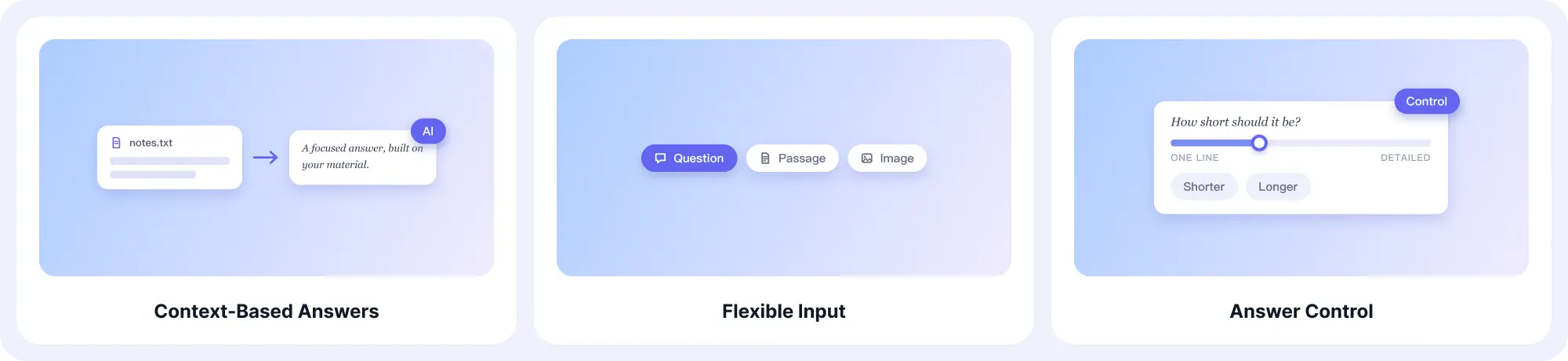
Context-Based Answers
Provide a question with supporting text, notes, or other relevant information. EaseDone AI uses the context you provide to generate a focused answer based on the material you are working with.
Flexible Input
Work with direct questions, passages of text, study materials, notes, and supported image content. Use the information you already have instead of manually retyping or searching through long content.
Answer Control
Choose how concise or detailed you want the response to be. Generate a one-sentence answer, a short explanation, or a focused response based on your specific needs.
Smart Shortening
Transform detailed explanations and long passages into concise answers that keep the key information. This can be useful for study notes, reading questions, definitions, summaries, and quick explanations.
AI Refinement
Shorten, simplify, rewrite, or clarify an answer when the first result is not exactly what you need. EaseDone AI helps you adjust the response without starting the task from scratch.
Clear Answer Formatting
Get answers in a format that is easy to read and use. EaseDone AI can help turn complex information into clear, direct responses without unnecessary detail.
Explore More
- AI Quiz Generator
- AI Powered Study Assistant
- AI Science Solver
- AI English Solver
- AI Paragraph Expander
- AI Grammar Checker
- AI Essay Grader
FAQ
What is a short answer generator?
A short answer generator is an AI tool that creates concise responses to questions. Instead of producing a long explanation, it focuses on the information needed to answer the question directly.
Depending on the tool's capabilities, you can provide a question, supporting text, documents, or an image and receive an AI-generated answer.
How does an AI short answer generator work?
The tool analyzes your question and any context you provide, identifies the information relevant to the question, and generates a response based on that information.
For questions that depend on a specific passage or document, providing the source material can help the AI understand the context and produce a more relevant answer.
Is the short answer generator free?
EaseDone AI provides free access to its AI tools, subject to any usage or feature limits that may apply. You can try the tool to see whether it fits your needs before using it for more extensive tasks.
Can it answer homework questions?
It can help you understand and work through questions, explain information, and generate concise responses. However, you should use it as a learning aid rather than blindly submitting AI-generated answers. Check important answers against your course materials and follow your school's academic requirements.
Is an AI-generated answer always accurate?
No AI system should be treated as automatically correct.
An answer can be affected by an ambiguous question, missing context, incorrect source information, or content the AI misunderstands. For better results, provide enough context and review important answers against a reliable source.
Can I use a short answer generator for work and research?
Yes. You can use an AI answer generator to help understand reports, research material, documents, and other professional content.
For important professional or research work, review the generated response against the original source before relying on it.
What should I do if the answer is incorrect?
First, check whether the question is clear and whether the AI has enough context.
Try adding the relevant passage, document, notes, or other source information. You can also ask the tool to answer using only the information you provided.
For important information, compare the generated answer with the original source or another reliable reference.
What makes a good short answer?
A good short answer should:
- Directly answer the question.
- Include the key information.
- Stay focused on the requested topic.
- Match the requested length.
- Avoid unnecessary background or repetition.
- Use the provided context when the question depends on a source.
Short does not mean incomplete. The goal is to remove unnecessary information while keeping what is needed to answer the question.