




 Go Pro

GPT-5.6 Luna is Ready





 AI Chat
 AI Image
 AI Writing Tools
 AI Study
 AI Translate Tools




EaseDone AI - All-in-One AI Assistant for Everyone
Powered by advanced AI models such as Gemini, GPT, Claude, Qwen, etc., EaseDone AI makes your daily work easier without switching applications. Chat with AI to generate images, write essays, solve math problems, analyze files & images, create visuals, and so on.



Trusted by millions of users worldwide




GPT-5.6 Luna - OpenAI's Fastest and Most Affordable Model
GPT-5.6 Luna is in the GPT-5.6 family. It handles chat, writing, and everyday reasoning tasks at a fraction of the cost of larger models. Try GPT-5.6 Luna free on EaseDone AI right now - no sign-up, no API key.
Strong Reasoning at a Low Price
GPT-5.6 Luna supports high reasoning effort and reasoning tokens, so it can work through multi-step questions instead of just guessing at an answer. It is priced far below OpenAI's flagship Sol model, which makes it a practical pick for everyday chat and writing tasks that do not need the heaviest model in the lineup.

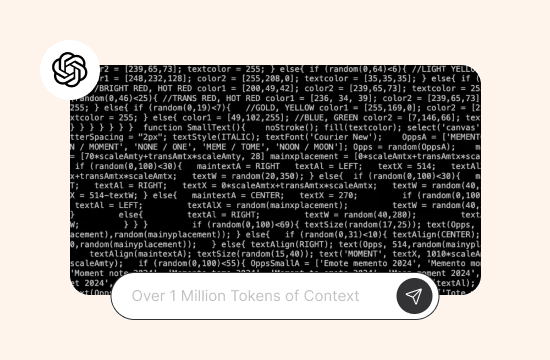
Over 1 Million Tokens of Context
GPT-5.6 Luna can hold more than 1,050,000 tokens in a single conversation and can output up to 128,000 tokens in one response. That is enough room to paste in long class notes, a full report, or a long chat history without losing earlier details.
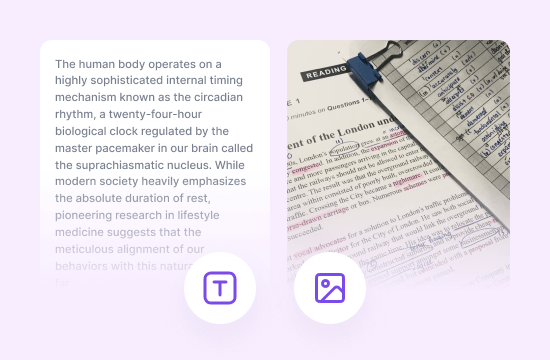
Text and Image Input
GPT-5.6 Luna reads both text and images, so you can upload a screenshot, a photo of handwritten notes, or a chart alongside your question. The model responds in text, which keeps replies clear and easy to copy into an email, essay, or report.
Built for Everyday Tool Use
GPT-5.6 Luna works with function calling, structured outputs, and tools such as web search, file search, and a code interpreter. This means it can look things up, work with files, and run code when a task calls for it, instead of only relying on what it already knows.

Why Choose EaseDone AI
Choose EaseDone AI to try GPT-5.6 Luna quickly, without setting up an OpenAI account or API key.

All Top Models, One Place
Switch between GPT-5.6 Luna and other AI chat models like GPT-5.5 or GPT-5.6 Sol without leaving EaseDone. Compare answers side by side and pick whichever fits your task.

No Sign-Up to Start
Open EaseDone AI and start chatting with GPT-5.6 Luna right away. No account, no credit card, no API key needed.

Built-In Writing and Study Tools
EaseDone pairs GPT-5.6 Luna with writing and study tools in the same interface, so you do not have to jump between apps to go from a chat answer to a finished document.

Clean, Fast Interface
Type or upload, get your answer, and move on. EaseDone's interface is built around getting work done, not around extra clutter.
How to Use GPT-5.6 Luna
Getting started takes less than a minute.
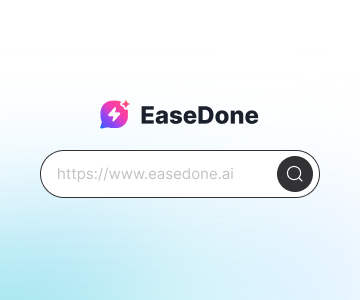
Step 1: Open the AI Chat Tool
Go to EaseDone AI’s official website and open its AI chat tool.
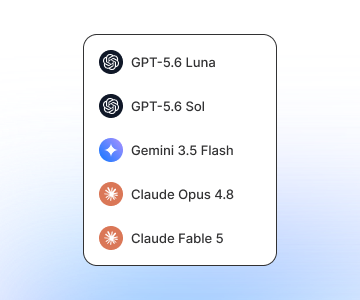
Step 2: Select GPT-5.6 Luna
Click the model drop-down menu and choose GPT-5.6 Luna from the list.
Step 3: Type, Upload, and Work
Ask your question, paste in a document, or upload an image, then send it to get your answer.
Try GPT-5.6 Luna for Free
No credit card. No setup. Just sign in to EaseDone AI and start using one of the most capable AI models available today.
What Users Are Saying about GPT-5.6 Luna
What Users Are Saying about GPT-5.6 Luna
 Rachel M.
I use Luna for first drafts of client emails. It's fast, and the tone comes out right most of the time, so I only need to tweak a line or two.
 Daniel S.
I pasted a 40-page report into the chat and it kept track of everything. No cutoffs, no losing earlier context like I've had with smaller models before.
 Priya K.
I upload photos of my lecture slides and ask Luna to turn them into study notes. It reads the text in the images without any issue.
 Carlos F.
Needed a script fixed fast and Luna caught the bug on the first try. The code interpreter tool actually ran it before giving me the answer.
 Nina T.
I switched from a pricier model for routine writing tasks and honestly cannot tell the difference in quality for what I use it for day to day.
 James O.
Good for quick homework help. I ask it to explain the steps instead of just the answer, and it actually walks through the logic.
GPT-5.6 Luna FAQ
Everything you need to know about GPT-5.6 Luna.
What is GPT-5.6 Luna?

What are the main GPT-5.6 Luna features?
What is the GPT-5.6 Luna price?
How do I access the GPT-5.6 Luna API?
How does GPT-5.6 Luna compare to GPT-5.5?
Who is GPT-5.6 Luna best suited for?
Can GPT-5.6 Luna read images?