




 Go Pro

Claude Opus 4.8 is Ready





 AI Chat
 AI Image
 AI Writing Tools
 AI Study
 AI Translate Tools





EaseDone AI - All-in-One AI Assistant for Everyone
Powered by advanced AI models such as Gemini, GPT, Claude, Qwen, etc., EaseDone AI makes your daily work easier without switching applications. Chat with AI to generate images, write essays, solve math problems, analyze files & images, create visuals, and so on.



Trusted by millions of users worldwide




Claude Opus 4.8 - Try Anthropic's Flagship AI Model for Free
Claude Opus 4.8 is Anthropic's flagship AI model, built for complex reasoning, agentic coding, and enterprise-grade knowledge work. It launched as an upgrade to Claude Opus 4.7, with sharper judgment, better honesty about its own uncertainty, and stronger performance on coding and agent benchmarks. You can try Claude Opus 4.8 right now on EaseDone AI.
Stronger Reasoning and Agentic Judgment
Claude Opus 4.8 was built to work independently for longer stretches without losing track of a task. Early testers reported that it asks better clarifying questions, catches its own mistakes, and pushes back when a plan looks flawed. On Anthropic's internal Super-Agent benchmark, it was the only model to complete every test case end-to-end.

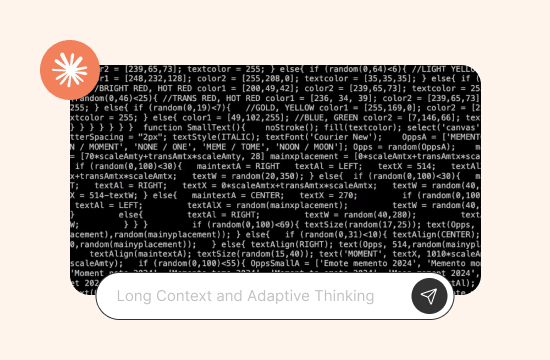
Long Context and Adaptive Thinking
Claude Opus 4.8 supports a context window of up to 1 million tokens on the Claude API, Amazon Bedrock, and Google Cloud, with 128,000 max output tokens. Instead of a fixed "thinking budget," the model uses adaptive thinking and lets users set an effort level (high by default, with extra and max tiers for harder tasks). This means it decides on its own how much reasoning a given question actually needs.
Multimodal Input for Text, Images, and Documents
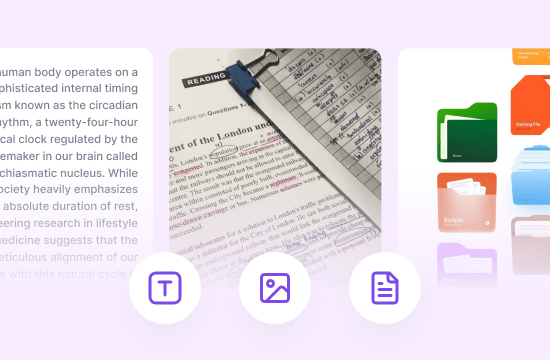
Like other current Claude models, Claude Opus 4.8 accepts text and image input and produces text output. This lets it read screenshots, charts, scanned pages, and photographed documents alongside your written instructions, which is useful for tasks like reading a chart, checking a diagram, or reviewing a scanned form.
What Can You Do With Claude Opus 4.8
Claude Opus 4.8 leverages strong reasoning, long context, and multimodal capabilities for study and daily work. For learning, it summarizes long materials, builds essay outlines, solves complex problems, and explains charts clearly. At work, it drafts documents, summarizes lengthy contracts and meetings, writes and debugs code, and analyzes visual data efficiently to boost productivity.

Why Choose EaseDone AI to Use Claude Opus 4.8
You can use Claude Opus 4.8 directly through Anthropic, but running it inside EaseDone AI comes with a few practical advantages.

No API Setup Required
You don't need to create a developer account, generate an API key, or write any code. Open the chat and start typing.

Switch Between Multiple AI Models in One Place
EaseDone AI's AI chat hub lets you move between Claude Opus 4.8 and other models without juggling separate logins or subscriptions, so you can compare answers side by side.

Paired With Writing and Study Tools
Instead of copying model output back and forth between apps, you can send a Claude Opus 4.8 draft straight into tools built for a specific job, like an essay writer or grammar checker, all inside the same platform.

Simple, Predictable Access
There's no need to track token usage or manage separate billing for API calls. You get a straightforward way to try Claude Opus 4.8 without committing to a developer-level setup first.
How to Use Claude Opus 4.8 on EaseDone AI
Step 1: Open the AI Chat Page
Go to the EaseDone AI chat page and select Claude Opus 4.8 from the model list.

Step 2: Type or Upload Your Task
Enter your question, paste in a document, or upload a screenshot or image. You can ask it to summarize, write, debug, or analyze in the same message.
Step 3: Review and Refine
Read the response, then ask follow-up questions or request edits. Claude Opus 4.8 keeps track of the conversation, so you can keep refining the output without starting over.
Try Claude Opus 4.8 for Free
Skip the API setup and start chatting with one of Anthropic's most capable models right now.
What Users Are Saying
What Users Are Saying
 Rachel M.
I used Claude Opus 4.8 to debug a gnarly async issue in my code and it actually explained why the bug happened instead of just patching it. Saved me a good hour.
 Daniel K.
I dropped a photo of my professor's whiteboard notes into the chat and it turned them into a clean summary I could actually study from. Didn't expect that to work so well.
 Priya S.
Wrote a first draft of a client proposal with it and it stayed on topic without adding fluff. I still edit before sending, but it cuts my drafting time in half.
 Thomas B.
I translated a batch of product descriptions and it kept the tone consistent across all of them, which other models I tried didn't do as well.
 Emily R.
Used it to go through a 40-page contract and pull out the renewal terms and penalty clauses. It flagged a clause I would have skimmed past.
 Marco V.
Good for essay outlines. I gave it my thesis and three sources and it built a structure I could actually work from instead of a generic five-paragraph template.
FAQ
FAQ
What is Claude Opus 4.8?

What are the main Claude Opus 4.8 features?
What is the Claude Opus 4.8 price?
How do I access the Claude Opus 4.8 API?
How does Claude Opus 4.8 compare to other models like GPT-5.6 Sol or GPT-5.6 Luna?
Who is Claude Opus 4.8 best suited for?
Does Claude Opus 4.8 support image input?