




 Go Pro


Image to Prompt Generator
Our AI Image to Prompt Generator analyzes your image and transforms it into a detailed, ready-to-use prompt. Upload an image, choose your preferred AI model, customize your settings, and generate professional AI prompts in seconds.

Upload or drop image here
Supports .JPG, PNG, WEBP max 15MB
Why Use an Image to Prompt Generator
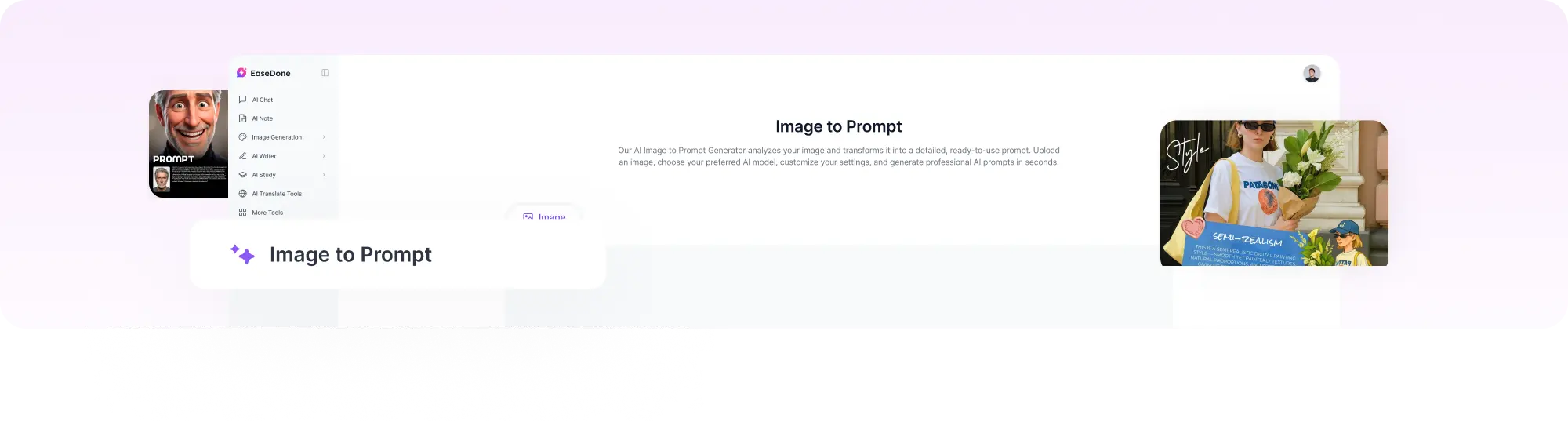
Transform your visual inspiration into detailed AI prompts with advanced image analysis, flexible customization, and optimized prompt generation for popular AI image models.
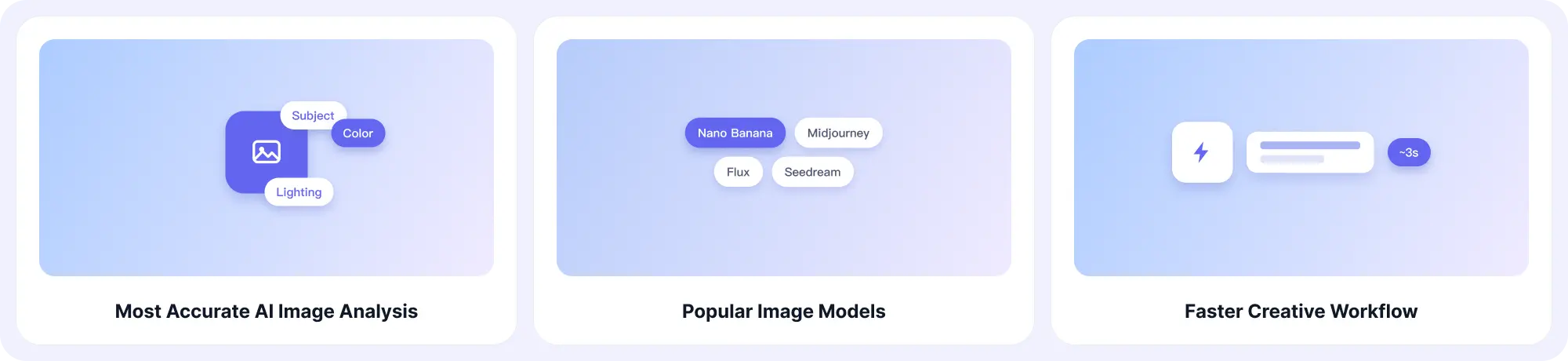
Most Accurate AI Image Analysis
Our AI image-to-prompt generator analyzes every visual detail in your image, including subjects, composition, style, lighting, colors, and atmosphere, to create accurate and detailed prompts. Whether you want to recreate an AI-generated image, explore creative ideas, or understand the elements behind a visual style, EaseDone AI helps transform images into actionable prompts.
Popular Image Models
Create optimized prompts for leading AI image generators, including Nano Banana 2, ChatGPT Image 2.0, and Seedream 5.0 Lite. The tool adapts prompt structures and descriptions based on different AI models, helping you achieve better results across multiple image-generation platforms.
Faster Creative Workflow
Turn any visual reference into a ready-to-use AI prompt within seconds instead of spending time manually describing every detail. From generating concept ideas to creating marketing visuals, product images, and digital artwork, our tool helps streamline your creative workflow.
Flexible Prompt Creation
Generate customized prompts for various visual content, including photography, artwork, product images, illustrations, and AI-generated images. Adjust your creative direction based on style, language, and image goals to create prompts that match your specific needs.
How to Use the Image to Prompt Generator
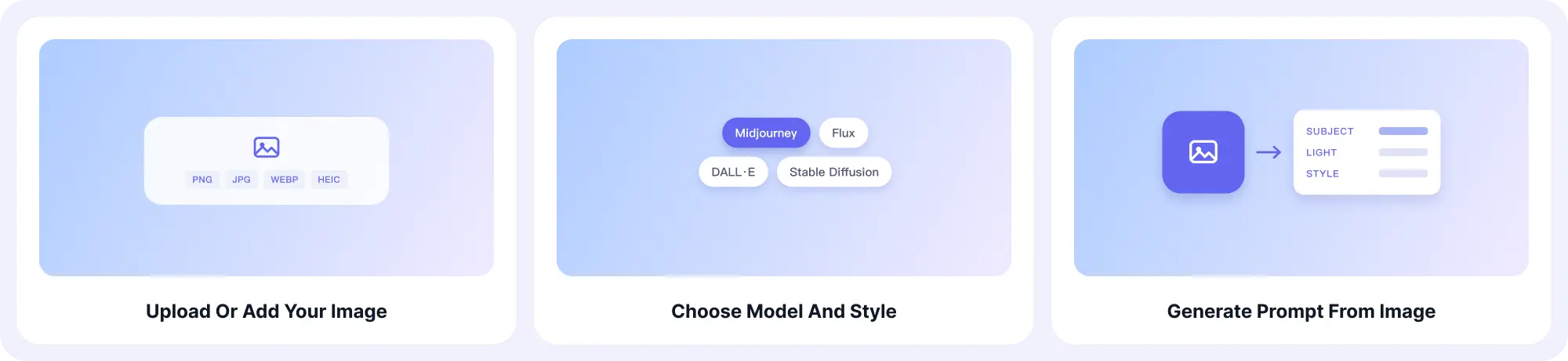
Generate AI Prompts From Images in 3 Simple Steps
Step 1: Upload or Add Your Image
Upload an image file, paste an image directly, or enter an image URL to start the analysis. Our AI supports popular formats including PNG, JPG, WEBP, and HEIC, making it easy to analyze different types of visual content.
Step 2: Choose Your AI Model, Style, and Language
Select the AI image model you want to create prompts for, including Nano Banana, Midjourney, Flux, DALL·E, and Stable Diffusion. You can also choose your preferred visual style and language to customize the generated prompt based on your creative needs.
Step 3: Generate Prompt from Image
Click generate and let AI analyze your image to create a detailed prompt with visual elements such as subject, style, composition, lighting, and atmosphere. Copy the generated prompt and use it directly in your preferred AI image generator to create new visuals.
Key Features of Our Image to Prompt Generator
Explore powerful features designed to make image-to-prompt generation faster, easier, and more flexible.
Easy-to-Use Interface
Generate AI prompts effortlessly with a simple workflow. Upload your image, select your preferences, and create detailed prompts without complicated settings or prompt-writing skills.
Fast AI Prompt Generation
Convert images into detailed AI prompts within seconds. The tool quickly analyzes visual elements and delivers ready-to-use prompts to speed up your creative process.
Multiple AI Model Support
Generate prompts compatible with leading AI image generators, including Nano Banana, Midjourney, Flux, DALL·E, and Stable Diffusion. Choose your preferred model to create prompts optimized for different AI workflows.
Multi-Language Support
Create AI prompts in multiple languages to support creators around the world. Generate, understand, and customize prompts in the language that works best for your workflow.
Multiple Image Format Support
Upload images in popular formats such as PNG, JPG, WEBP, and HEIC. Easily analyze different types of images without additional file conversion.
Customizable Prompt Styles
Choose from different visual styles and creative directions, including realistic photography, cinematic visuals, digital art, illustrations, and product images.
AI Image Analysis
Analyze key visual elements from your images, including subjects, objects, colors, composition, lighting, and artistic style. Generate detailed prompts based on the unique characteristics of each image.
One-Click Prompt Copying
Copy generated prompts instantly and use them directly in your preferred AI image generator. Move smoothly from image analysis to AI creation with a simple workflow.
Image to Prompt Examples
See How AI Converts Images Into Detailed Prompts
1. Realistic Portrait Photography
Image Type: Portrait Image
Generated Prompt:
A realistic portrait of a person standing outdoors during golden hour, soft natural sunlight illuminating the face, warm tones, detailed skin texture, shallow depth of field, professional portrait photography, 85mm lens, cinematic composition, highly realistic details.
2. Product Photography
Image Type: Product Image
Generated Prompt:
A clean product photography scene featuring a modern object placed on a simple surface, soft studio lighting, realistic shadows, detailed textures, minimal background, professional commercial photography style, sharp focus, high-resolution image.
3. Anime Style Illustration
Image Type: Anime Artwork
Generated Prompt:
An anime-style character illustration featuring a person with detailed clothing and expressive features, vibrant colors, dynamic lighting, intricate design details, fantasy-inspired atmosphere, high-quality digital artwork, Japanese animation style.
4. Cinematic Landscape
Image Type: Landscape Image
Generated Prompt:
A cinematic mountain landscape with dramatic clouds, warm sunlight across the valley, atmospheric fog, realistic natural environment, wide-angle composition, cinematic color grading, detailed scenery, professional landscape photography style.
5. 3D Character Render
Image Type: 3D Artwork
Generated Prompt:
A detailed 3D character render with a modern futuristic design, smooth materials, realistic textures, soft studio lighting, realistic shadows, clean background, high-quality 3D modeling, professional digital artwork.
6. Interior Design Visualization
Image Type: Interior Design Image
Generated Prompt:
A modern minimalist living room with contemporary furniture, natural sunlight through large windows, warm neutral colors, clean architectural design, realistic textures, cozy atmosphere, professional interior visualization, high-quality rendering.
Explore More AI Creative Tools
Create more with AI-powered tools:
FAQ
What is an image-to-prompt generator?
An image-to-prompt generator is an AI tool that analyzes an image and converts it into a detailed text prompt for AI image generation.
Can AI recover the original prompt used for an image?
Not exactly. AI can analyze visible elements and create a similar prompt, but it cannot know the original creator’s exact wording or hidden generation settings.
What AI models can use generated prompts?
Generated prompts can be used with popular AI image generators, including ChatGPT Image 2.0, Seedream 5.0 Lite, Nano Banana 2, and Nano Banana Lite.
What image formats are supported?
We support image formats including PNG, JPG, JPEG, WEBP, and HEIC.
Do I need prompt-writing experience?
No. EaseDone AI helps beginners create detailed AI prompts while also helping experienced creators explore new ideas.