




 Go Pro


AI Discussion Post Generator
Create discussion posts and replies with AI. EaseDone AI turns prompts, course materials, and classmates’ posts into structured drafts that fit your assignment needs. Write initial posts, peer responses, and academic discussions faster while keeping your own ideas and writing style.
Create Discussion Posts and Replies with AI
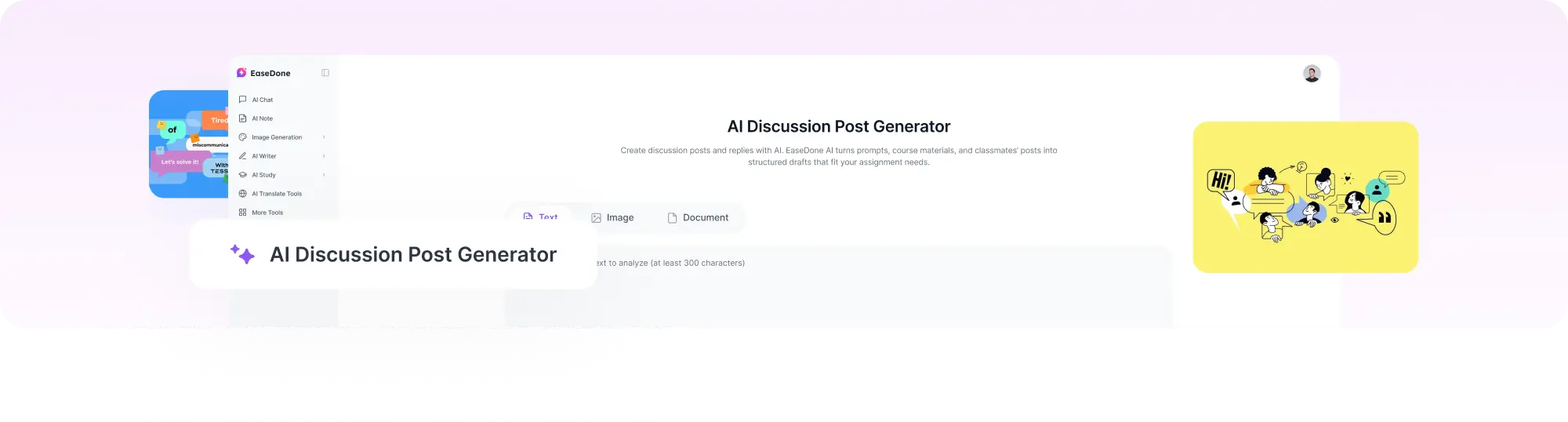
Online discussion assignments often look simple, but writing a meaningful response requires more than answering a question. Students need to understand the topic, organize their ideas, support their arguments, and engage with classmates.
EaseDone AI works as an AI discussion post generator and discussion post response generator, helping you create both original posts and peer replies from your assignment instructions, course materials, or existing discussions.
Instead of wondering "how do I write my discussion post?", you can start with an organized draft and refine it with your own examples, opinions, and course insights.
You can use it to:
- Generate an initial discussion post from your professor’s prompt
- Create thoughtful replies to classmates
- Summarize and incorporate assigned readings
- Adjust the writing style and tone
- Improve the structure of your response
Instead of starting with a blank page, you can begin with an organized draft and personalize it with your own ideas.
How to Generate an AI Discussion Post
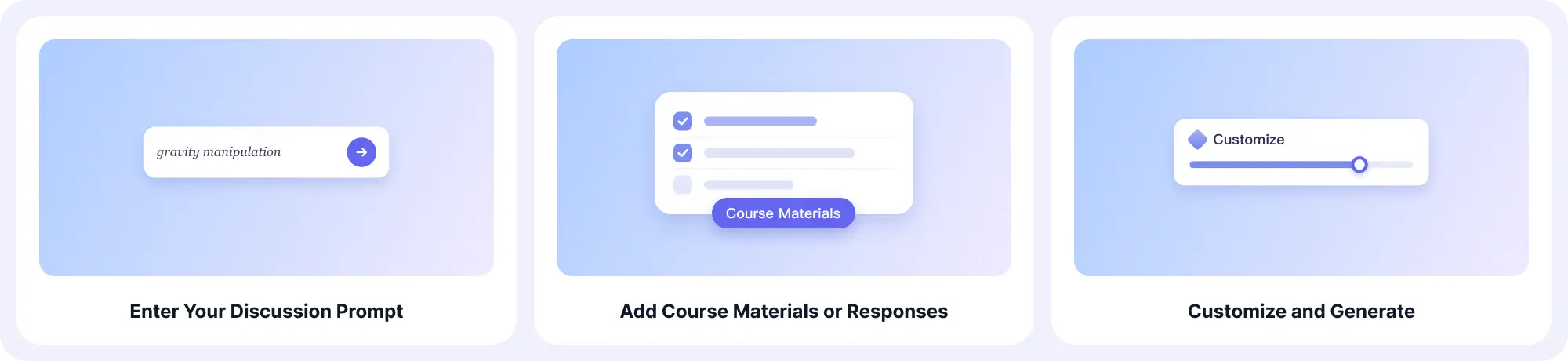
Create a discussion post draft in three steps: add your assignment requirements, provide relevant materials, and customize your preferred writing style before generating your response.
Step 1. Enter Your Discussion Prompt
Paste your discussion question, assignment instructions, or topic into EaseDone AI so it understands what you need to write about.
Step 2. Add Course Materials or Responses
Upload your readings, notes, or a classmate’s post to help generate a more relevant and course-specific discussion response.
Step 3. Customize and Generate Your Post
Choose your preferred word count, tone, and writing style, then generate your discussion post and refine the draft before submitting.
Generate Different Types of Discussion Responses with AI
Whether you need to write your first discussion post, respond to classmates, or prepare a research-based academic response, EaseDone AI helps you create different types of discussion content for online courses.
Create Initial Discussion Posts
An initial discussion post usually requires students to answer a professor’s question and explain their viewpoint.
EaseDone AI helps organize your ideas into a complete discussion response with a clear argument, supporting explanations, and examples related to your course topic.
Prompt:
Write a discussion post about the topic below. Develop a clear argument, explain key points, and include relevant examples to support the response. Use a natural academic tone and make the response suitable for an online course discussion.
Topic:
Course subject:
Key points or opinions to include:
Required length:
Writing style:
Generate Discussion Board Replies
Responding to classmates can be challenging because you need to add value instead of simply saying "I agree."
The discussion reply generator helps you create meaningful responses that acknowledge your classmate’s ideas, introduce new perspectives, and encourage further conversation.
Prompt:
Write a thoughtful reply to the following classmate’s discussion post. Acknowledge their main ideas, provide additional insights, and connect the response to the course topic. Avoid simply agreeing and create a response that encourages further discussion.
Classmate’s post:
My perspective or additional ideas:
Course topic:
Reply length:
Preferred tone:
Create Research-Based Graduate Responses
Graduate-level discussions often require deeper analysis and academic support.
EaseDone AI helps students create more focused discussion drafts by incorporating course readings, research materials, and academic concepts.
Prompt:
Create a research-based discussion response for the question below. Analyze the topic using academic concepts, explain your reasoning, and include evidence or examples where appropriate. Write in a clear academic style suitable for graduate-level discussion.
Discussion question:
Course subject:
Required theories or sources:
Main argument:
Academic requirements:
Key Features of EaseDone AI Discussion Post Generator
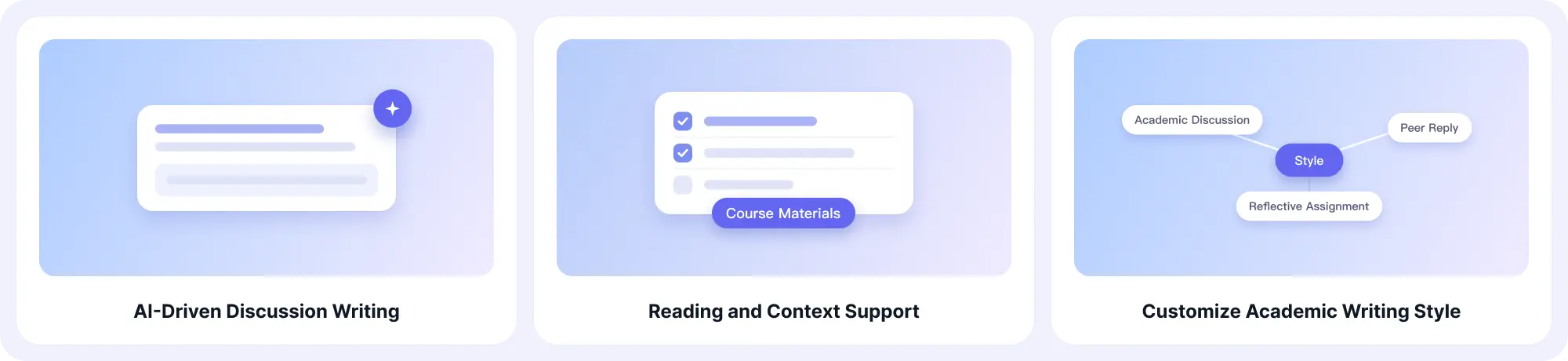
Generate structured discussion posts and replies with AI support. EaseDone AI helps you use course materials, customize writing styles, and create responses that fit your assignment requirements.
AI-Powered Discussion Writing
Generate discussion posts and replies based on your assignment prompts, topics, and requirements. EaseDone AI helps turn your ideas and instructions into organized drafts that are easier to review and personalize. You can also organize your thoughts and key points before writing with EaseDone AI.
Reading and Context Support
Add course materials such as articles, textbook sections, lecture notes, or classmate responses to create more relevant discussion drafts. EaseDone AI uses your provided context to help connect responses with your course content.
Custom Academic Writing Style
Adjust your discussion responses to match different writing needs, from formal academic discussions to conversational peer replies and reflective assignments. Choose a style that fits your course requirements and communication goals.
For longer academic assignments, you can also explore tools like an AI essay writer to help organize and develop your ideas.
Multi-Language Support
Create and translate discussion posts in different languages while preserving the original meaning and context. EaseDone AI helps international students and multilingual learners adapt responses for different academic settings.
Natural and Personalized Responses
Create responses that sound more like your own writing instead of generic AI-generated text. Review and refine drafts by adding personal insights, adjusting examples, and modifying the tone to match your academic voice with tools like the AI humanizer.
Who Can Use the Discussion Post Generator?
EaseDone AI helps anyone who needs to create, respond to, or organize discussion content for academic, educational, or professional settings.
Students
Students can use EaseDone AI to create discussion posts, write peer replies, and organize ideas for online courses and discussion boards on platforms like Canvas, Blackboard, and Moodle.
Graduate Researchers and Professionals
Graduate students and professionals can create more structured, research-focused responses for discussions in fields such as nursing, education, business, and psychology.
Educators and Trainers
Teachers, instructors, and training professionals can use the tool to prepare discussion prompts, sample responses, or learning materials that encourage meaningful conversations.
How to Write a Strong Discussion Post
A good discussion post usually includes four elements:
1. Answer the Question Directly
Start by addressing the professor’s prompt clearly.
Avoid repeating the question. Instead, provide your position or interpretation.
2. Explain Your Reasoning
Develop your response by explaining:
- Why you think this way
- How the topic relates to the course
- What evidence supports your view
3. Use Examples or Sources
Strong discussion posts often include:
- Course concepts
- Real-world examples
- Research findings
4. Encourage Further Discussion
End with an idea that invites classmates to respond.
Examples:
- Ask a related question
- Introduce another perspective
- Highlight a possible challenge
FAQ
What is a discussion post generator?
A discussion post generator is an AI writing tool that helps create discussion board posts and replies from assignment prompts, course materials, or existing discussions.
Can AI write my discussion post?
Yes. EaseDone AI can help generate a discussion post draft based on your instructions, topic, and requirements. You can review and personalize the response before submitting it.
Can I use an AI discussion post generator for Canvas or Blackboard?
Yes. The tool can help create responses for online learning platforms such as Canvas, Blackboard, and Moodle.
Can the tool generate replies to classmates?
Yes. EaseDone AI can create discussion board replies that respond to classmates’ ideas, add new perspectives, and continue the conversation.
Is there a free discussion post generator?
EaseDone AI offers free usage options that allow students to create discussion drafts and replies.
How do I make AI-generated discussion posts sound natural?
Provide specific instructions, include your own ideas, and review the generated response. You can also use the AI humanizer to improve readability and make the writing style more natural.
Can I create academic discussion posts with citations?
Yes. EaseDone AI supports citation-focused writing and can help organize responses that include academic references.