




 Go Pro


Dumb It Down
Turn dense writing into an explanation your reader can follow. Paste the text into EaseDone AI, say who it is for, and request a clearer version that keeps the main point. Ready to make it easier to understand? Try EaseDone AI for free today.
What Does It Mean to Dumb Down Text
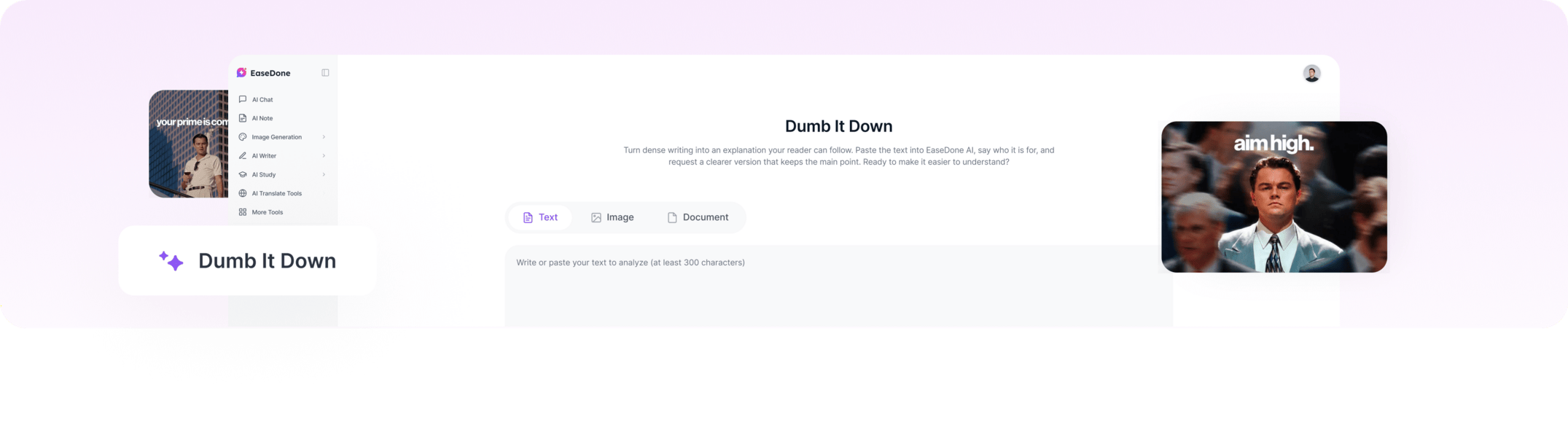 To dumb down text is to replace unnecessary jargon, untangle long sentences, and explain ideas in familiar language. A good rewrite makes the message easier to grasp without removing a condition, warning, or fact the reader needs.
When Simpler Wording Makes a Difference
A Work Update People Need to Act On
A project note may be clear to the team that wrote it but confusing to new colleagues. Ask for a version that names the action, the person responsible, and any deadline. If the note contains several decisions, simplify each one separately rather than squeezing them into a vague summary.
A Study Note with an Unfamiliar Concept
A student can ask for an everyday explanation of one difficult paragraph, then return to the original terminology once the idea makes sense. When the problem is understanding the concept itself rather than rewriting the sentence, AI Chat can help explore the question in more detail.
Instructions for Someone New
A support team can turn a dense help-center instruction into clear actions for first-time users. Keep button labels, account requirements, and the order of steps exactly right; a friendlier sentence is not useful if it sends the reader to the wrong place.
How to Use Dumb It Down
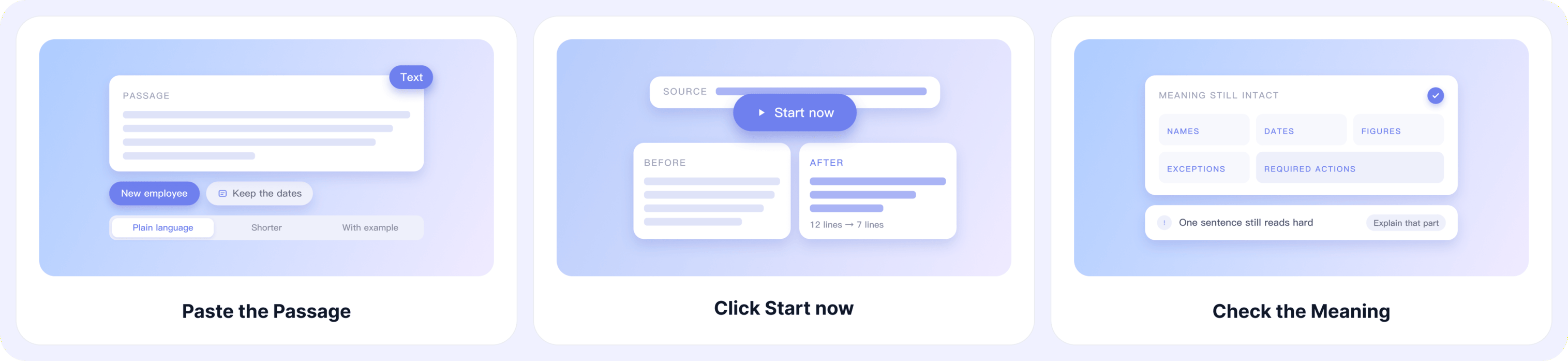
Step 1: Paste the Passage
Enter the text you want to simplify and identify its reader. Mention any terms, numbers, or conditions that must stay, and say whether you want plain language, a shorter explanation, or an example.
Step 2: Click Start Now
Click Start Now to generate a clearer draft from your instructions. Read it beside the source so you can spot anything important that has been softened or left out.
Step 3: Check the Meaning
Verify names, dates, figures, exceptions, and required actions. If a sentence is still hard to follow, ask for a different explanation of that part rather than simplifying the whole passage again.
Before and After Examples
These examples show what a useful plain-language rewrite can change while keeping the original message. They are illustrative drafts, not claims about a specific generated result.
A Project Status Update
Original: "The report will populate after the nightly data refresh completes, provided the source files pass validation."
Simpler: "The report will show new data after tonight's update, but only if the source files pass the checks." The condition still matters; the new wording simply makes it easier to see.
A Science Explanation
Original: "Evaporation occurs when liquid molecules gain enough energy to transition into a gaseous state."
Simpler: "Evaporation happens when some molecules in a liquid gain enough energy to become gas." The scientific idea remains, but the sentence uses words a beginner can work with.
A Customer Help Message
Original: "Users whose email addresses remain unverified will be unable to access exported files."
Simpler: "You cannot download exported files until you verify your email address." The revision tells the customer what to do without changing the requirement.
Why Choose EaseDone AI for Simpler Explanations
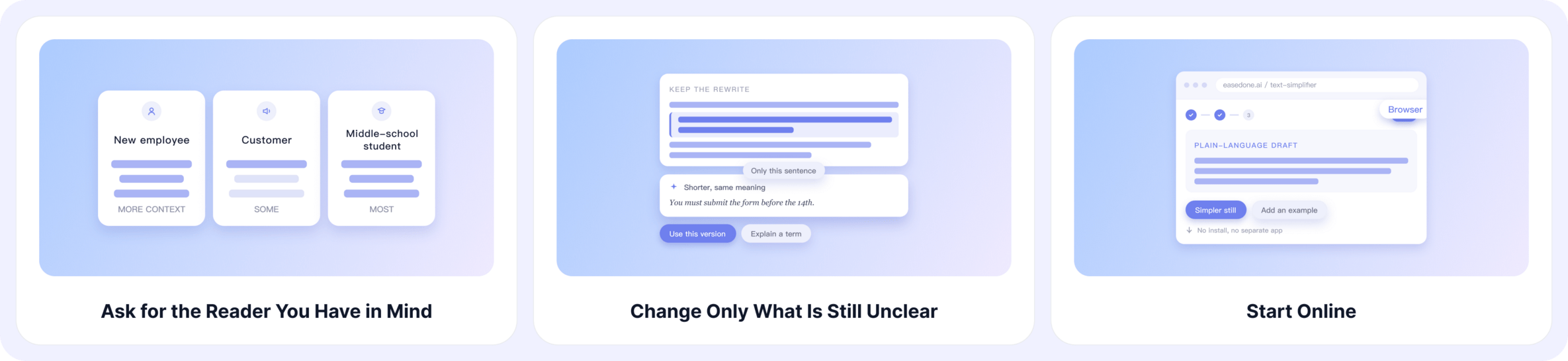
Ask for the Reader You Have in Mind
A new employee, a customer, and a middle-school student need different amounts of background. State the audience in your request so the draft aims for the right level of explanation.
Change Only What Is Still Unclear
Keep a useful rewrite and ask for one difficult sentence to be shorter or for one term to be explained. Focused follow-up instructions make it easier to preserve the parts that already work.
Start Online
Use EaseDone AI in your browser without installing a separate writing app. You can try it for free, then decide whether the result is ready for the next stage of review.
Keep Related Tasks Together
A long document may need a short overview before any individual paragraph is rewritten. The AI Summarizer can help identify the main points, while Dumb It Down focuses on making the chosen passage easier to read.
Check a Plain Language Draft Before Sharing
Compare the revised text with its source, especially where a reader could act on it. Check quantities, timing, eligibility, and warnings first. Then read it aloud for awkward phrasing; the AI Grammar Checker can help with a final sentence-level review. Medical, legal, and financial instructions need appropriate expert review too.
Dumb It Down FAQ
Will simplifying a passage make it shorter?
Sometimes, but not always. Explaining an unfamiliar term may take an extra sentence. The goal is to make the meaning easier to understand, not simply to reduce the word count.
Can I ask for a particular reading level?
Yes. Specify the reader’s age or familiarity with the topic. For example, you can ask for an explanation suitable for a middle school student or someone encountering the subject for the first time.
What if only one sentence is confusing?
Paste the sentence with a little surrounding context so its meaning stays clear. For a more focused rewrite, you can also try the AI Sentence Simplifier.
Can I simplify technical or academic writing?
Yes, but check the result against the original. A clearer explanation should preserve important facts, conditions, and distinctions, especially when the wording needs to be precise.
Will the simplified version keep my original meaning?
That should be the aim, but it is worth reviewing both versions side by side. Check whether any qualifications, numbers, or important details were lost or changed.
Can I keep essential terms in the explanation?
Yes. Identify the terms that must stay, then ask for a plain-language explanation alongside them. This helps readers learn the vocabulary without losing the subject’s meaning.
How can I tell whether the rewrite is clear enough?
Ask someone from your intended audience to read it and explain the main point back to you. If they still have questions, use those questions to guide another revision.
Make the Next Explanation Easier to Read
Paste the passage, name the reader, and select Start Now. Keep the version that is clear without losing what the original actually says.